
An AI writing canvas for serious long-form work

Your AI writing workbench

Always in sync with how you think.

Long form · 3rd draft
All-in-one writing canvas
Introduction

In the past three years, large language models have reshaped how we write, yet professional writers still struggle to find a partner that truly matches their thinking—General models “sound right” more often than they “hit the point”—the tone you want and the meaning you mean rarely line up. Meanwhile,small fixes are the headache: you change one bit and too much moves—the parts that were fine get worse, and the parts you needed fixed still don't land.

Open a blank page—speak or type a single line of prompt—WriteFlow is on the very line of your cursor, turning ideas into words.
See a line you don't like? Circle it and tell WriteFlow what you want—it excels at fine edits, applies your sources and rules through sensible partitions, and stays aligned with your thinking.

An all-in-one writing canvas

01 · Writing canvas

The whole article is the workspace

Opening a project takes you straight into the document, not a chat box. Generate at the cursor, revise by selection, format the draft, open sources, and keep writing preferences close to the text itself.
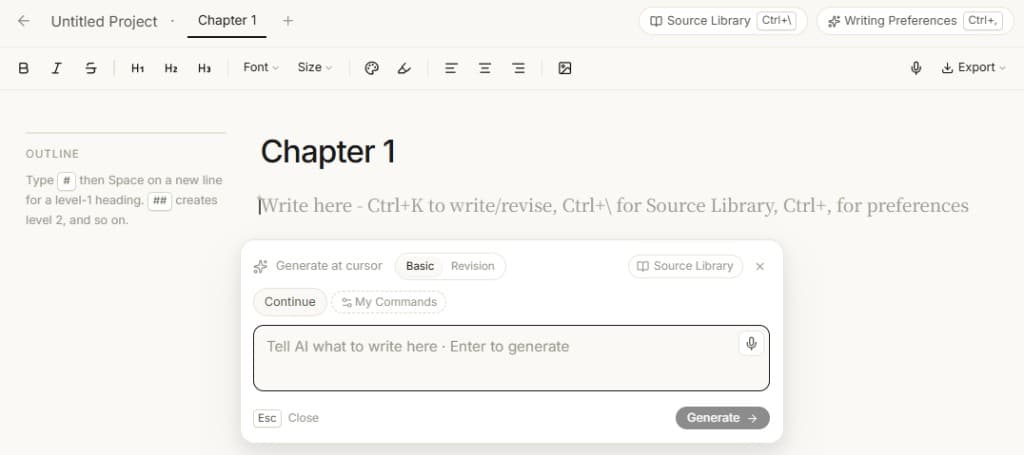
WriteFlow document canvas with AI command panel and source library.

02 · Local comments

Mark every place that needs work, then rewrite once

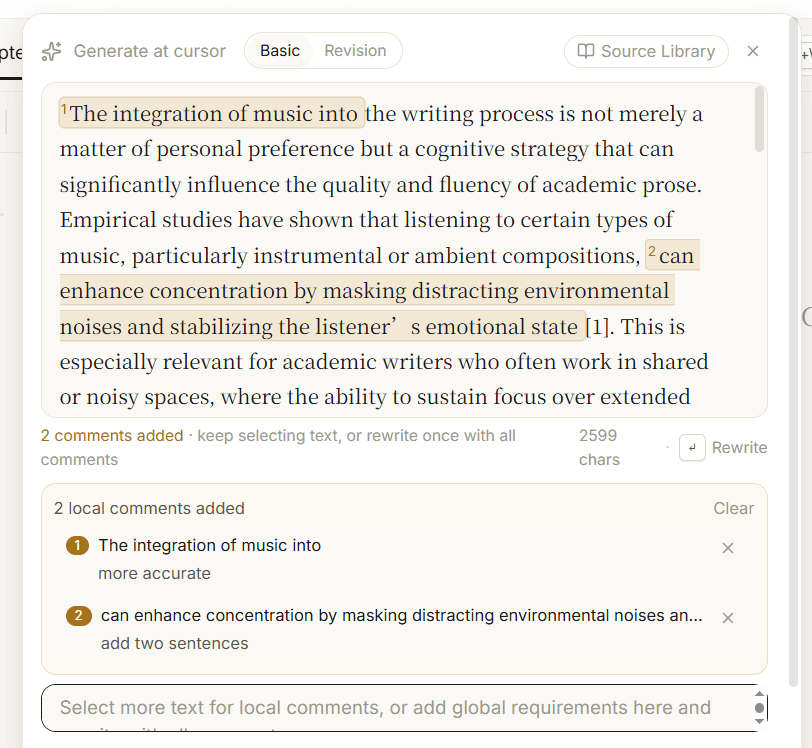
You do not have to compress every concern into one vague prompt. Comment like an editor: make this line more accurate, add two sentences there. WriteFlow revises with those notes in view instead of flattening the whole draft.

WriteFlow lets users add multiple local comments before rewriting.

03 · Reviewable revision

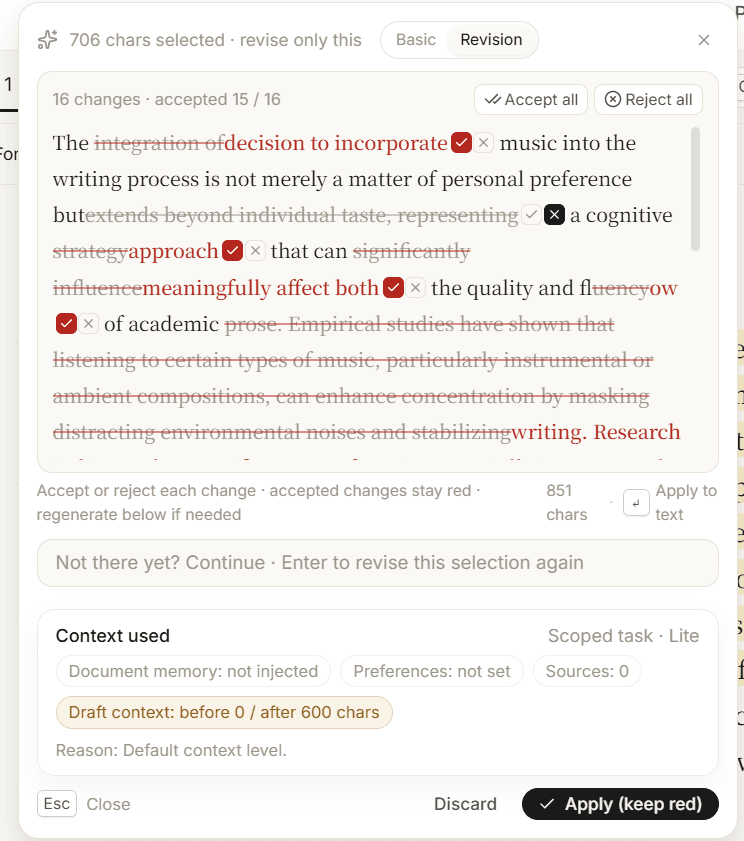
See what AI changed, then accept or reject each edit

Long-form writing should not be a black-box rewrite. WriteFlow shows the changes as reviewable edits, so you keep the parts that work, reject the parts that do not, and stay the author.

WriteFlow shows AI revisions as accept or reject changes.

04 · Source library

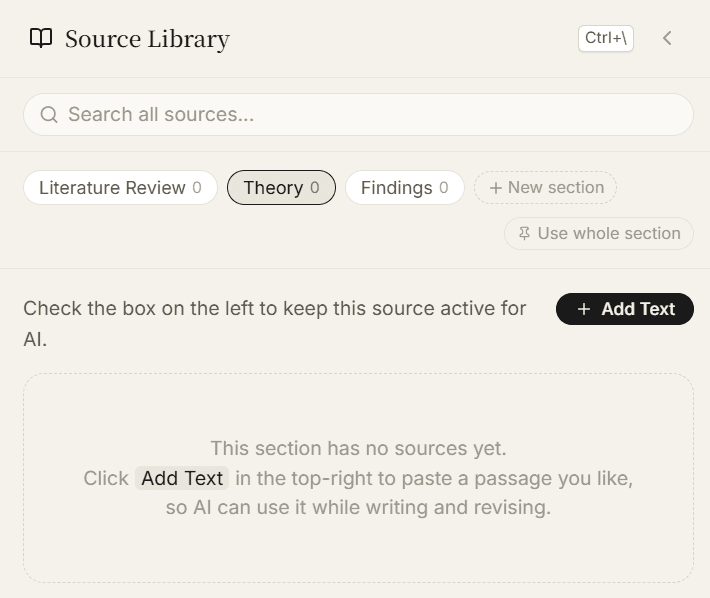
Organize references by section and call them in deliberately

Good writing is not only prompting. Save literature, theories, examples, and findings in named sections, then decide which set should guide the next revision.

WriteFlow source library organizes references into sections.

05 · Writing memory

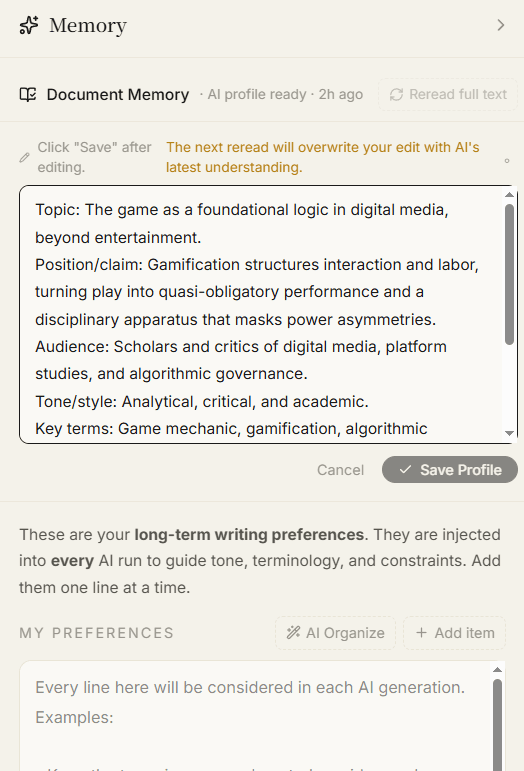
This piece keeps its topic, stance, tone, and preferences

WriteFlow distills document memory and keeps your long-term writing preferences available. Future generations try to stay aligned with this piece instead of asking you to explain it again.

WriteFlow keeps document memory and writing preferences active.

How is it different from ChatGPT?

Not another place to ask AI for a rough draft. WriteFlow helps you work inside the document, revise precisely, and keep each piece aligned with its memory, sources, and preferences.

Writing approach

Article as canvasgenerate at cursor, rewrite by selection

Never leave the document; every edit is tracked

Chat-based Q&A — copy-paste every time you need a change

Tweak one part, lose what was already good

Knows this piece

Builds document memory on first use — topic, stance, tone auto-distilled

Every Ctrl+K aligns with this piece's memory; stays on track across revisions

No document concept — every chat is isolated, no persistent understanding

By revision five, it forgot what revision one was about

Partitioned KB

Organize references into named partitions — check to pin, upload once, reuse forever

Pin entire partitions or tag individual items, switch references on the fly

Can upload files per session, but no partition structure — restart every chat

Scattered materials, no lasting knowledge system

Export & delivery

One-click export to Word / Markdown, formatting preserved

Publication-ready, no reformatting needed

Manual copy-paste and reformatting in a separate document

Lost formatting, extra round-trips

Who it's for

Anyone who's written a long piece knows the pain of “I only need to fix this one sentence.”

WriteFlow isn't another generic chatbot—it's a workbench built for people who revise every line until it's right. We ditched the chat window: the whole document is your only working canvas—like Word, with every paragraph understood precisely by WriteFlow.

  • Theses, reports, and long pieces—if you care about every paragraph, this is for you.
  • Creators who write for a living: product copy, WeChat articles, newsletters, indie blogs—with high standards for prose quality.
  • Anyone tired of pasting in and out of a chat and wants one article-first canvas.

Our take · four essentials

Not a chat box that can write, but
a workbench in sync with how you think.

01

Generate in place

Wherever your cursor sits, WriteFlow turns your idea into text on that line—no copy-paste, no leaving the page.

02

Rewrite by selection

Select a sentence, open the prompt bubble. WriteFlow changes only that span—like Cursor for prose.

03

Reference library

Store snippets you admire, research, and brand voice in sections you define—and tag what you prefer. On paragraph-level rewrites, WriteFlow only uses the references you specify—so the tone can truly match you.

04

Knows this piece

From first use, WriteFlow distills topic, stance, and tone into this document's memory—every Ctrl+K and rewrite aligns with it first. Preferences from later rounds of edits stay true to this piece's memory.

Open WriteFlow,
Start an efficient writing session.